

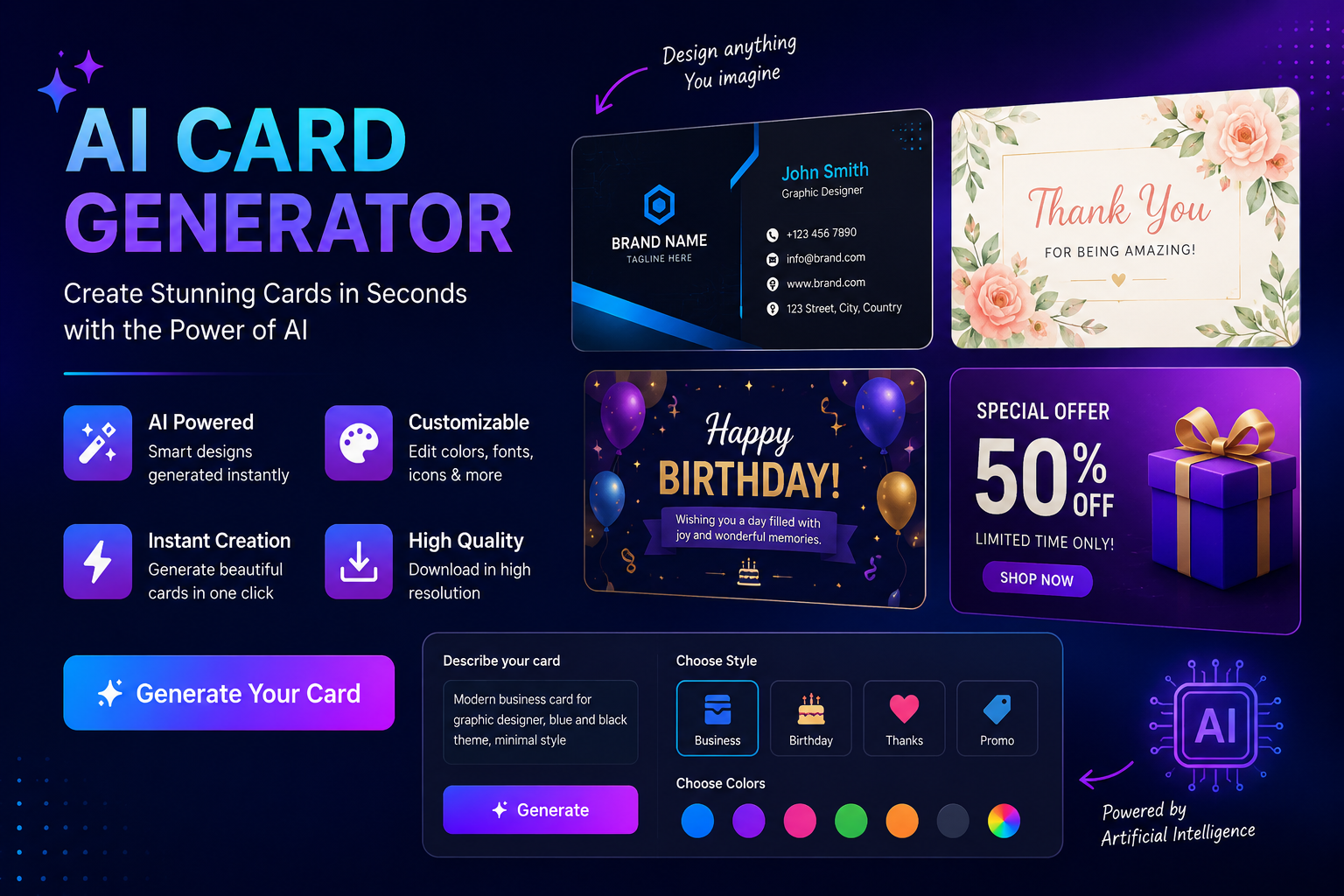
Creating a professional or personal card no longer requires hours of design work. An AI card generator can turn a simple description into a customized card design, message, image, or complete layout in minutes.
Whether you need a birthday greeting, business card, wedding invitation, thank-you card, party invitation, or digital greeting, AI can help you create a starting design without advanced graphic-design skills.
The best results, however, come from combining AI generation with human editing. You still need to check names, dates, contact details, typography, colors, and print quality before sharing or printing the final card.
What Is an AI Card Generator?
An AI card generator is a tool that uses artificial intelligence to help create customized cards from text instructions, images, templates, or other inputs.
Instead of manually searching through hundreds of templates, you can describe what you want. For example:
“Create an elegant birthday card for my sister using pastel pink and gold colors, floral elements, and a warm personalized message.”
Depending on the tool, AI may generate the visual design, write the card message, suggest layouts, create images, or help customize an existing template.
An AI card maker can be useful for both personal and professional projects, including greeting cards, invitations, business cards, and social-media graphics.
How Does an AI Card Generator Work?
Most AI card generators follow a straightforward process:
1. Describe Your Card
Start with the occasion, recipient, style, colors, and other important details.
2. Let AI Generate the Design
The tool interprets your instructions and creates a design, message, image, or combination of these elements.
3. Generate Multiple Options
Don't automatically choose the first result. Creating several variations gives you more opportunities to find a design that fits your needs.
4. Customize the Result
Edit the text, colors, fonts, images, logo, layout, and other elements.
5. Review and Export
Check everything carefully before downloading the final design as an image or print-ready file.
The basic workflow is:
Prompt → Generate → Customize → Review → Download, Share, or Print
Best AI Card Generators: What to Look For
There isn't one universally best AI card generator. The right option depends on whether you're creating a birthday card, professional business card, invitation, or printable design.
When comparing tools, consider AI image quality, customization, free usage, export options, ease of use, and print support.
If you're publishing a best AI card generator blog, avoid simply listing tools. Explain what each tool is best for, what its limitations are, and which type of user should choose it.
Types of Cards You Can Create With AI
One of the biggest advantages of AI card generation is its flexibility.
AI Birthday Card Generator
A free AI birthday card generator can help you create personalized birthday designs for friends, family members, coworkers, or customers.
Instead of a generic “Happy Birthday” message, give the AI details about the recipient's personality, hobbies, relationship, or interests.
For example:
“Create a fun birthday card for my brother who loves football, coffee, and traveling. Use a modern blue-and-gold design with a humorous but heartfelt message.”
AI Business Card Generator
An AI business card generator free option can be useful for freelancers, entrepreneurs, marketers, consultants, and small-business owners.
A business card normally needs:
Name
Job title
Company name
Logo
Phone number
Email address
Website
Social profiles
QR code, where appropriate
AI can help suggest layouts and visual styles, but important business information should always be checked manually.
AI Greeting Card Generator
AI can create greeting cards for birthdays, congratulations, thank-you messages, anniversaries, holidays, and other occasions.
You can specify whether the message should be funny, emotional, formal, friendly, short, or inspirational.
AI Wedding and Invitation Cards
AI can help generate elegant wedding invitations, engagement announcements, party invitations, and event cards.
Describe the theme, colors, venue style, date, and tone to guide the design.
AI Graduation Cards
For graduation, you can ask AI to create a celebratory design using the graduate's school colors, degree, name, or achievements.
AI Thank-You Cards
Businesses can also use AI-generated thank-you cards to acknowledge customers, clients, employees, or event attendees.
AI Digital Cards
Digital cards are ideal for WhatsApp, email, social media, and online events. They don't necessarily need the same technical specifications as cards intended for professional printing.
How to Create a Card With AI
Creating a custom card doesn't have to be complicated.
Step 1: Choose the Card Type
Decide whether you're creating a birthday card, business card, invitation, greeting card, or another format.
Step 2: Describe the Recipient
Add information that makes the card personal.
Instead of:
“Make a birthday card.”
Try:
“Create a cheerful birthday card for my best friend who loves photography and hiking.”
Step 3: Specify the Visual Style
Tell the AI what you want the design to look like.
Useful style terms include:
Minimalist
Modern
Elegant
Luxury
Vintage
Cartoon
Corporate
Colorful
Watercolor
Hand-drawn
Step 4: Add Colors and Visual Elements
Mention preferred colors, backgrounds, illustrations, photos, patterns, or brand elements.
Step 5: Generate Several Versions
Create multiple variations and compare them.
Step 6: Edit the Best Version
AI-generated designs are starting points. Adjust fonts, spacing, colors, images, and wording until the card looks right.
Step 7: Proofread Everything
This is particularly important for business cards and invitations. Check names, phone numbers, email addresses, dates, locations, and URLs.
Step 8: Export and Share
Choose the appropriate format for your purpose. Digital cards may work well as PNG or JPG files, while professional printing may require a high-quality PDF.
Best AI Card Generator Prompts
Good prompts produce better results. A useful formula is:
Card type + recipient + occasion + style + colors + mood + message + format
Birthday Prompt
Create a colorful birthday card for my best friend. Use purple and gold colors, balloons and subtle floral elements. Make the design modern and cheerful with a funny but heartfelt birthday message.
Business Card Prompt
Create a minimalist professional business card for an SEO consultant. Use navy blue and white, clean typography, subtle digital marketing elements, and space for name, phone, email, website, company logo, and QR code.
Wedding Prompt
Create an elegant wedding congratulations card using ivory, gold, and soft floral elements. Use sophisticated typography and a warm, romantic message.
Thank-You Prompt
Create a professional thank-you card for customers of a small online business. Use a clean modern design, warm colors, subtle branding, and a short appreciative message.
The more specific your prompt is, the easier it becomes for the generator to produce something relevant.
Free AI Card Generator: What Does “Free” Really Mean?
A free AI card generator can be useful if you're experimenting with designs or creating occasional personal cards. However, “free” doesn't always mean every feature is unlimited.
Some tools may provide free generation but restrict:
High-resolution downloads
Premium templates
AI credits
Commercial use
Certain export formats
Advanced editing features
Before using a card commercially, check the tool's current licensing and usage terms.
A useful distinction is:
Free to generate ≠ necessarily free to download, print, or use commercially.
How to Create a Professional AI Business Card
AI can speed up business-card ideation, but professional results require careful editing.
Start with essential information such as your name, role, company, contact details, website, and logo.
Then choose a style that matches your industry.
A technology company might benefit from a modern minimalist design, while a luxury brand may require a more sophisticated visual identity.
Avoid overcrowding the card. Too many fonts, colors, icons, or contact details can make a business card difficult to read.
If you use a QR code, test it before printing.
How to Make AI-Generated Cards Print-Ready
A design that looks good on a screen may not automatically be ready for printing.
Before sending a card to a printer, check:
Always check your printer's specific requirements because dimensions, bleed, and file specifications can vary.
AI Card Generator vs Traditional Templates
AI isn't automatically better than traditional card templates.
AI works particularly well when you want a personalized starting point quickly. Templates can be preferable when you need exact layout control and predictable results.
The strongest workflow often combines both: use AI for ideas and personalization, then manually refine the final design.
Common Problems With AI-Generated Cards
AI-generated cards can save time, but they aren't perfect.
Incorrect Text
AI may produce awkward wording or spelling mistakes. Always proofread.
Poor Typography
Some image-generation systems can struggle with accurate text rendering. If important information is involved, use an editor that allows you to add text manually.
Generic Designs
A vague prompt can produce a generic result. Add details about the recipient, occasion, style, and personality.
Incorrect Logos or Branding
Don't assume AI will reproduce an existing logo accurately. Upload the correct logo or add it manually where supported.
Printing Problems
Colors, resolution, dimensions, and bleed should be checked before printing.
How to Choose the Best AI Card Generator
Choose a tool based on your actual use case rather than simply choosing the one with the most features.
For a birthday card, prioritize personalization, AI writing, photos, and creative designs.
For a business card, prioritize layout control, branding, QR codes, contact information, and print quality.
For digital cards, look for easy sharing and appropriate image formats.
For professional printing, prioritize high-resolution exports, correct dimensions, and print-ready files.
Real-World AI Card Generator Use Cases
Freelancer
A freelancer can create a professional business card that matches their personal brand without starting a design project from scratch.
Small Business
A small company can generate branded thank-you or holiday cards for customers.
Student
A student can create a personalized graduation card for friends, classmates, or teachers.
Event Organizer
An event organizer can generate invitations that match an event's theme and color scheme.
Family and Friends
Individuals can create personalized birthday, anniversary, and congratulations cards in minutes.
These examples show why the best AI card generator isn't necessarily the tool with the most advanced AI. It's the one that fits the user's specific purpose.
Tips for Better AI Card Designs
For consistently better results:
Be specific with your prompts.
Generate several versions.
Keep important text short and readable.
Use a limited color palette.
Maintain consistent typography.
Add personal details.
Review every AI-generated element.
Verify business information and dates.
Check print specifications before ordering.
Use human editing for the final version.
AI should accelerate the creative process, not replace the final quality check.
Frequently Asked Questions
What is an AI card generator?
An AI card generator uses artificial intelligence to help create card designs, messages, images, or layouts based on user instructions. It can be used for birthday cards, business cards, invitations, greeting cards, and other occasions.
Is there a free AI card generator?
Yes, some AI card tools offer free generation or limited free plans. However, free accounts may restrict downloads, AI credits, premium designs, resolution, or commercial usage, so check the current terms before using a design professionally.
Can AI create business cards?
Yes. AI can help generate business-card concepts based on your industry, branding, preferred colors, layout, and style. However, contact information, logos, QR codes, and other important details should be manually checked before printing.
Can AI create birthday cards with photos?
Many card-generation and design tools can work with photos or allow users to combine AI-generated designs with personal images. When using a photo, choose a tool that provides appropriate editing and privacy controls.
Can I print an AI-generated card?
Yes, provided the design meets your printer's requirements. Check dimensions, resolution, bleed, safe areas, color settings, and export format before printing.
How do I write a good AI card prompt?
Include the card type, recipient, occasion, visual style, colors, mood, important text, and intended format. Specific prompts generally give you more useful starting designs than vague instructions.
Is an AI-generated card better than a template?
Not always. AI is useful for personalization and generating unique concepts quickly, while traditional templates can provide more predictable layouts. Combining AI generation with manual editing often produces the strongest result.
Conclusion
An AI card generator makes it easier to turn an idea into a personalized card without starting from a blank canvas. You can create birthday greetings, business cards, invitations, wedding cards, thank-you messages, and digital designs by describing what you need and refining the generated result.
For the best outcome, don't treat AI as a one-click replacement for design. Use it to generate ideas, wording, layouts, and visual concepts, then review and customize the result yourself.
Whether you're searching for a free AI card generator, an AI business card generator, or a tool for personalized birthday cards, focus on the features that match your specific purpose. The right combination of AI speed and human creativity can produce a card that feels genuinely personal and professional.
Leave a Reply