

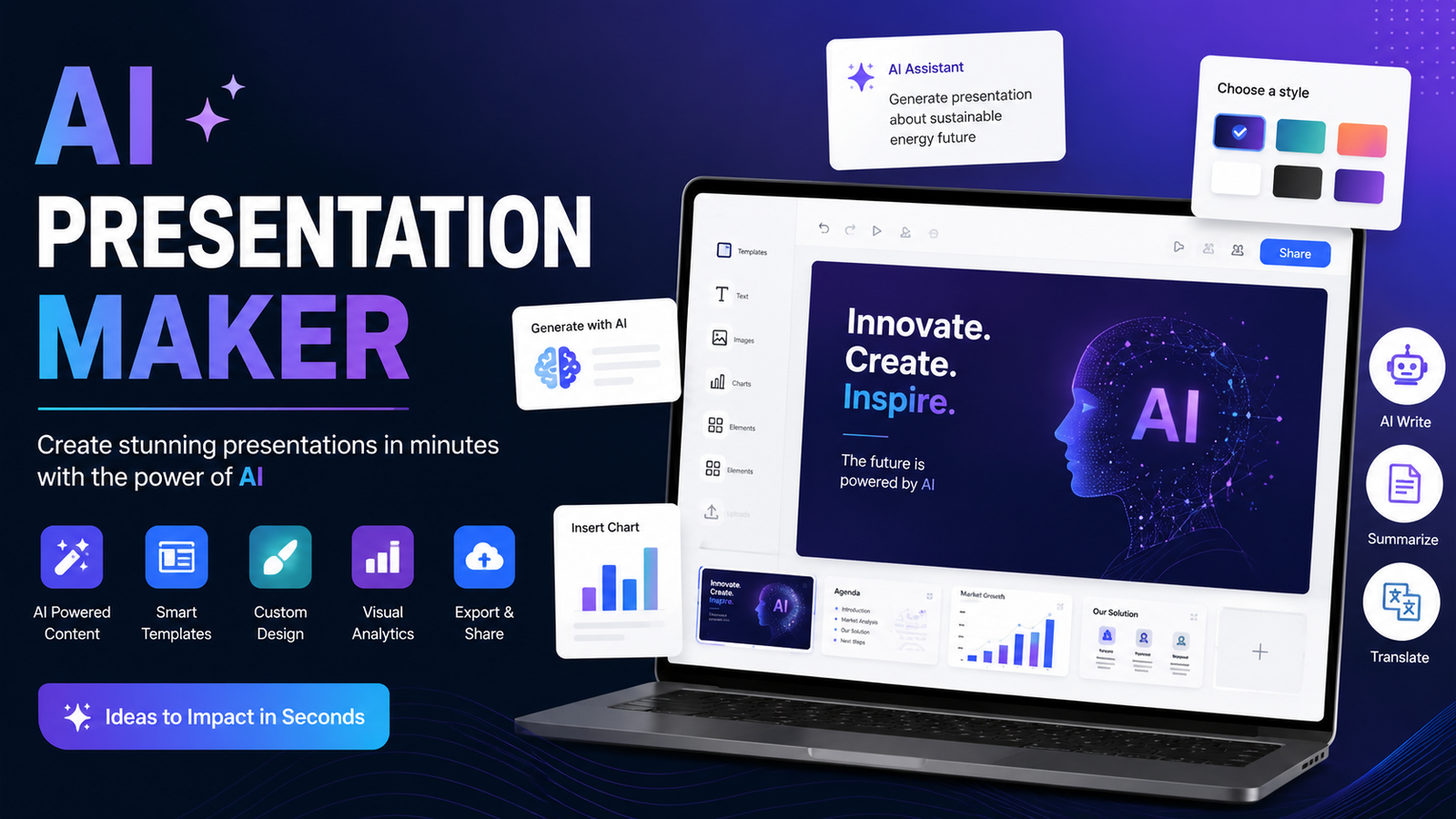
Creating a professional presentation no longer means spending hours choosing templates, writing slide copy, finding images, and fixing layouts one slide at a time. An AI presentation maker can turn a simple prompt, document, or idea into a structured presentation in minutes.
But choosing the right tool is harder than it looks. Some AI presentation makers are excellent for PowerPoint, while others focus on beautiful web-based slides. Some have generous free plans, while others restrict exports or AI features behind paid plans.
In this guide, we compare the leading AI presentation makers based on the factors that matter most: AI-generated content, design quality, ease of use, editing, export options, templates, input flexibility, and practical use cases.
Whether you are a student, teacher, marketer, business owner, or professional presenter, this guide will help you find the right AI tool for your next presentation.
Best AI Presentation Makers at a Glance
The best choice depends on what you need. Gamma is a strong all-around option for fast AI-generated decks, Canva is excellent for visual customization, and Plus AI is particularly useful when your final presentation needs to remain inside PowerPoint or Google Slides.
What Is an AI Presentation Maker?
An AI presentation maker is software that uses artificial intelligence to create presentation slides from a prompt or source material.
Instead of starting with an empty PowerPoint file, you can provide instructions such as:
“Create a 10-slide presentation explaining how AI is changing digital marketing.”
The tool can generate an outline, write slide content, select layouts, suggest images, and organize the presentation.
More advanced tools can also work from PDFs, documents, URLs, existing presentations, and other source material.
The important distinction is that an AI presentation generator does more than provide a template. It attempts to automate the actual process of building the presentation.
How We Evaluate AI Presentation Makers
A useful comparison should look beyond marketing claims. The most important evaluation criteria are:
AI Generation Quality
The tool should create a logical presentation structure instead of simply placing paragraphs on slides.
Good AI-generated presentations have a clear introduction, logical progression, concise slide copy, and useful conclusions.
Design and Layout
A presentation can contain excellent information and still look unprofessional.
We look for:
Consistent spacing
Readable typography
Appropriate visuals
Balanced layouts
Professional templates
Effective use of charts and graphics
Editing and Customization
AI should save time without taking control away from the user.
Look for tools that let you easily rewrite text, change layouts, replace visuals, add slides, and adjust branding.
PowerPoint and Other Export Options
Export quality matters if you need to present your slides using PowerPoint.
A tool may create attractive online slides but produce a poor exported PPTX file. Check whether fonts, images, charts, and layouts remain intact after export.
Input Flexibility
The best tools can start from more than a short prompt. Useful input options include:
Text prompts
PDFs
Word documents
URLs
Existing presentations
Notes
Business data
Pricing and Free Plans
A free AI presentation maker can be useful for occasional presentations, but free plans often have restrictions involving AI credits, exports, watermarks, or templates.
Always check the current plan before choosing a tool for regular professional use.
10 Best AI Presentation Makers
1. Gamma — Best for Fast AI-Generated Presentations
Gamma is a popular choice for users who want to turn an idea into a polished presentation quickly.
Its main advantage is speed. You can start with a topic or prompt and let the AI develop the structure and presentation content.
Gamma is especially useful for people who don't want to spend significant time manually formatting every slide.
Best for: Entrepreneurs, marketers, students, and anyone who prioritizes speed.
Pros:
Fast presentation generation
Modern visual style
Easy editing
Useful for multiple presentation types
Cons:
Some advanced customization can be restrictive
Export requirements should be checked for your workflow
2. Canva — Best for Design and Branding
Canva is more than an AI presentation maker. It is a broad visual design platform with presentation templates, graphics, images, brand tools, and AI features.
This makes it a strong choice when appearance is particularly important.
For example, a marketing agency can create an AI-generated presentation and then apply its brand colors, logo, fonts, and visual assets.
Best for: Marketers, creators, educators, and branded presentations.
Pros:
Huge template ecosystem
Strong visual editing
Branding tools
Beginner-friendly interface
Cons:
AI isn't the only focus
Some advanced features require a paid plan
3. Plus AI — Best for PowerPoint and Google Slides
Plus AI stands out because it focuses heavily on existing presentation workflows rather than forcing users into a separate presentation environment.
It can be useful when you already work with PowerPoint or Google Slides and want AI assistance for creating, rewriting, remixing, or formatting slides.
This makes it particularly valuable for professionals who need editable presentation files rather than simply a web-based deck.
Best for: Business professionals and PowerPoint or Google Slides users.
Pros:
Strong presentation-software integration
Useful for existing slides
AI-assisted rewriting and formatting
Professional workflow
Cons:
Better suited to users who already work with slide software
Some features depend on the selected plan
4. Beautiful.ai — Best for Professional Layouts
Beautiful.ai focuses heavily on presentation design and automated layouts.
Its appeal is simple: you provide the content, and the software helps maintain visual consistency while you edit.
This can be particularly useful for business presentations where inconsistent spacing and poorly aligned elements can make a deck look amateurish.
Best for: Business presentations and professional teams.
Pros:
Automated layouts
Professional visual style
Consistent formatting
Good for corporate presentations
Cons:
Less flexible than fully manual design software
Advanced functionality may require a subscription
5. Pitch — Best for Collaborative Teams
Pitch is designed with collaboration in mind.
Teams can work together on presentations, making it useful for sales proposals, investor presentations, marketing decks, and internal meetings.
Its AI features can help accelerate content creation while the collaboration environment makes it easier for several people to review and edit a deck.
Best for: Sales and marketing teams.
Pros:
Collaboration features
Professional templates
Useful for business presentations
Team-oriented workflow
Cons:
Some features are more valuable for teams than individuals
Advanced functionality may require a paid plan
6. Prezi — Best for Interactive Presentations
Prezi takes a different approach from traditional slide-by-slide presentations.
Instead of relying entirely on conventional slides, it uses a more dynamic canvas and zooming presentation style.
This can work well when you want to explain relationships between ideas or create a more interactive experience.
Best for: Teachers, speakers, trainers, and interactive presentations.
Pros:
Distinctive presentation style
Interactive visual storytelling
Useful for education and training
Cons:
Requires adjustment if you're accustomed to PowerPoint
Not ideal for every business presentation
7. SlidesAI — Best for Google Slides Users
SlidesAI is designed to help users generate presentation content within a familiar slide-based workflow.
Rather than learning an entirely new presentation platform, users can use AI to speed up the process of creating slides.
Best for: Students, educators, and Google Slides users.
Pros:
AI-assisted slide creation
Familiar presentation workflow
Useful for text-to-slide generation
Cons:
Visual customization may not match dedicated design platforms
Feature availability varies by plan
8. Microsoft Copilot — Best for PowerPoint Users
Microsoft Copilot can be a natural choice for people already working within Microsoft's ecosystem.
For users who regularly create PowerPoint presentations, AI assistance directly within familiar Microsoft tools can reduce the need to move content between different applications.
It can help with tasks such as generating presentation content and working from existing information.
Best for: Microsoft 365 and PowerPoint users.
Pros:
Familiar Microsoft environment
Useful for PowerPoint workflows
Convenient for existing Microsoft users
Cons:
Availability depends on the Microsoft plan and environment
AI-generated content still requires human review
9. AiPPT — Best for Quick AI Slide Generation
AiPPT focuses specifically on turning ideas into presentations with minimal manual work.
It can be useful when you have a topic but don't want to spend a lot of time developing the initial slide structure.
The platform is particularly suited to users who want to move quickly from an idea to a complete presentation draft.
Best for: Students, professionals, and quick presentations.
Pros:
Fast generation
Presentation-focused workflow
Useful for different presentation types
Cons:
AI-generated content still needs fact-checking
Customization requirements vary by presentation
10. STORYD — Best for Data-Driven Storytelling
STORYD is particularly interesting for business users who need to transform data and information into a structured story.
Rather than treating a presentation as a collection of attractive slides, its approach focuses on communicating information clearly.
Best for: Business reports, analytics, and data-driven presentations.
Pros:
Storytelling-oriented
Useful for business information
Good fit for data presentations
Cons:
More specialized than general-purpose design platforms
Not necessarily the best choice for highly visual creative decks
Best AI Presentation Maker by Use Case
There isn't one perfect tool for everyone.
Best AI Presentation Maker Overall
Gamma is a strong choice if your priority is quickly turning an idea into a polished presentation with minimal manual formatting.
Best Free AI Presentation Maker
Canva, Gamma, and other tools with free tiers are worth considering if you only need occasional presentations. However, free limits can change, so check the current export and AI-generation restrictions before committing.
Best AI for PowerPoint Presentations
Plus AI or Microsoft Copilot are particularly relevant for PowerPoint-centered workflows.
Choose a tool that preserves editable slide elements if you expect to make substantial changes after generation.
Best AI Presentation Maker for Students
Students generally benefit most from tools that are simple, fast, and affordable.
A student might use AI to turn lecture notes into a presentation outline, then manually verify every factual claim before submitting the final deck.
Best AI Presentation Maker for Business
For business users, prioritize:
Brand consistency
Collaboration
PowerPoint compatibility
Charts
Data handling
Editing
Export quality
Tools such as Plus AI, Canva, Beautiful.ai, and Pitch can fit different business workflows.
How to Make a Presentation With AI
Creating a presentation with AI is usually straightforward.
Step 1: Define the Goal
Don't start with:
“Make a presentation about marketing.”
Instead, provide context:
“Create a 10-slide presentation for small-business owners explaining five practical ways AI can improve digital marketing.”
The second prompt gives the AI a specific audience, purpose, and structure.
Step 2: Add Your Source Material
If the tool supports it, provide your research, PDF, document, URL, or notes.
This can produce a more relevant presentation than relying entirely on general AI knowledge.
Step 3: Review the Outline
Before generating the final deck, check the structure.
Remove repetitive sections and make sure the presentation has a logical flow.
Step 4: Improve the Slides
AI-generated slides are a starting point, not a finished product.
Replace generic images, simplify crowded slides, verify statistics, and adjust the design to match your audience.
Step 5: Export and Test
If you're using PowerPoint, open the exported file and inspect every slide.
Check fonts, images, spacing, charts, animations, and speaker notes before presenting.
What Features Should You Look For?
When comparing an AI presentation maker, prioritize features that actually affect your workflow.
A strong tool should ideally offer:
AI slide generation
Presentation templates
Custom branding
AI image generation or image suggestions
Document-to-presentation conversion
PowerPoint export
Google Slides compatibility
Easy editing
Collaboration
Charts and data visualization
Speaker notes
Multiple export formats
Don't choose a tool simply because it generates slides quickly. The time saved during creation can disappear if you have to manually repair every slide afterward.
AI Presentation Maker vs Traditional PowerPoint
Traditional PowerPoint gives you maximum control but requires more manual work.
An AI presentation maker can create the initial structure, content, and layouts much faster.
The most practical approach is often to combine both:
AI for the first draft + human editing for the final presentation.
This gives you speed without sacrificing accuracy, branding, or professional judgment.
Are AI Presentation Makers Worth It?
For most people who create presentations regularly, yes.
The biggest benefit isn't simply generating slides. It is reducing the repetitive work involved in creating a presentation from scratch.
AI can help with brainstorming, outlining, writing, formatting, visual selection, and restructuring.
However, AI should not replace human review. Generated information can contain errors, irrelevant examples, or overly generic wording. A professional presentation still needs fact-checking and editing.
The best AI presentation maker is therefore the one that fits your workflow—not necessarily the tool with the most AI features.
Frequently Asked Questions
What is the best AI presentation maker?
Gamma, Canva, Plus AI, Beautiful.ai, and Microsoft Copilot are among the leading options, but the best choice depends on your needs. Gamma is strong for fast generation, Canva for design, and Plus AI for PowerPoint and Google Slides workflows.
Is there a free AI presentation maker?
Yes. Several AI presentation platforms offer free plans or limited free access. However, free versions may restrict AI generations, templates, exports, or other features. Always check the current plan before creating an important presentation.
What is the best AI for PowerPoint presentations?
Plus AI and Microsoft Copilot are strong options for PowerPoint-focused workflows. The best choice depends on whether you want dedicated AI presentation features or AI assistance within the Microsoft ecosystem.
Can AI create a PowerPoint presentation?
Yes. Several AI presentation tools can generate presentations that can be exported to PowerPoint or used within PowerPoint-related workflows. Always inspect the exported file because formatting can change between platforms.
Can AI make a presentation from a PDF?
Some AI presentation makers can use documents and PDFs as source material. This can be especially useful for converting reports, research, notes, or business documents into presentation structures.
Can ChatGPT make a presentation?
ChatGPT can help create presentation outlines, slide content, speaker notes, examples, and presentation scripts. Dedicated AI presentation makers can go further by automatically handling slide layouts and visual design.
Should I trust AI-generated presentation content?
Use AI-generated content as a draft rather than an unquestioned source. Verify statistics, citations, names, dates, and other factual claims before presenting the material publicly or professionally.
Conclusion
The best AI presentation maker depends on what you want to accomplish.
For rapid AI-generated decks, Gamma is a compelling choice. Canva is excellent when visual design and branding matter most. Plus AI and Microsoft Copilot are especially useful for PowerPoint-oriented workflows, while Pitch and Beautiful.ai can be strong options for professional teams.
The most important thing is to look beyond flashy templates. Compare AI quality, editing control, input options, export quality, pricing, collaboration, and your specific presentation requirements.
AI can create the first draft in minutes, but the strongest presentations still combine artificial intelligence with human judgment. Use AI to eliminate repetitive work, then spend your time improving the ideas, accuracy, storytelling, and final delivery.
Leave a Reply