

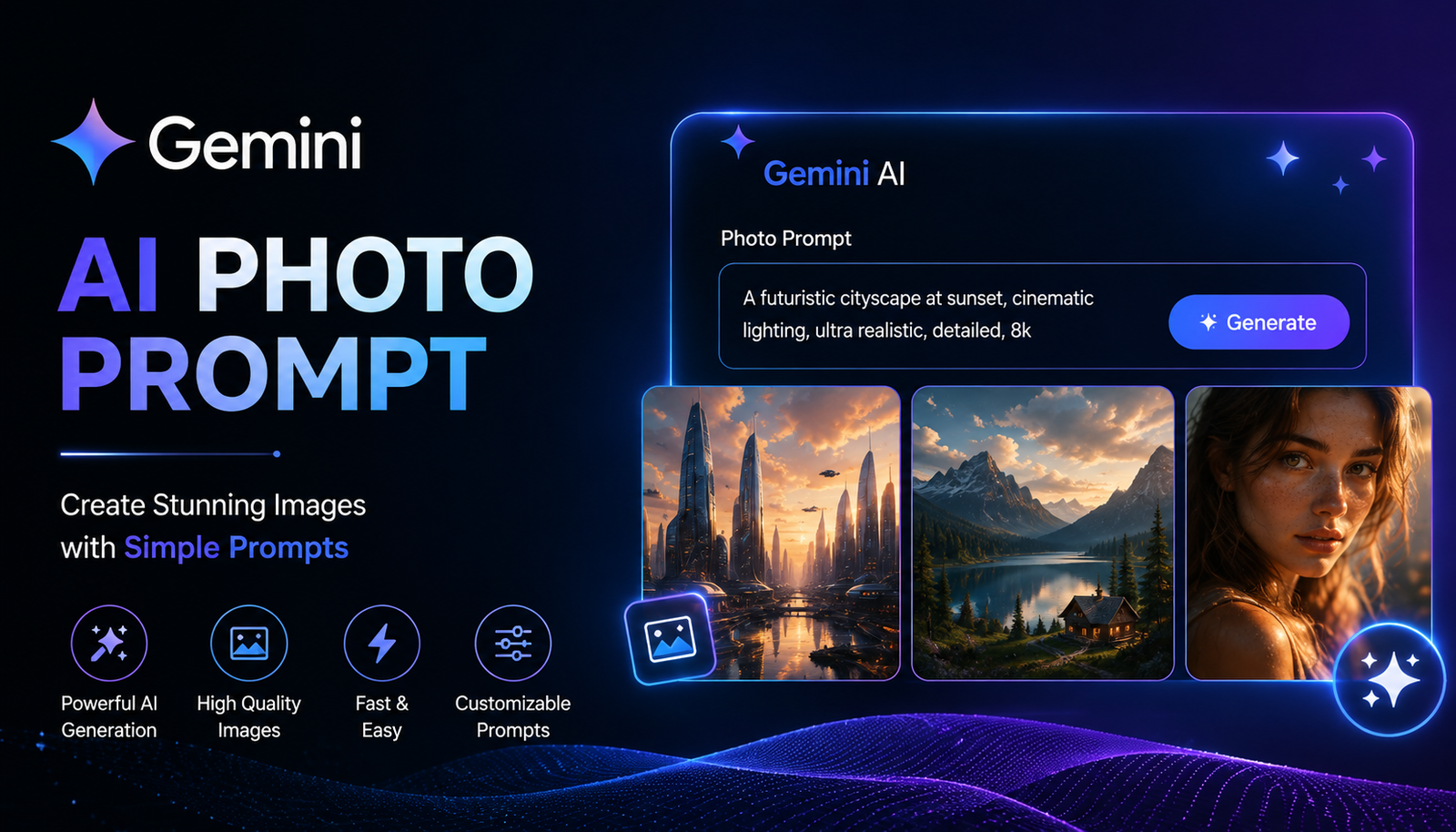
Creating eye-catching AI photos no longer requires complicated editing software or professional photography skills. With the right Gemini AI photo prompt, you can create cinematic portraits, improve an existing picture, change backgrounds, experiment with fashion styles, or turn an ordinary selfie into a polished social-media image.
The key is knowing how to describe the result you want. A vague instruction such as “make my photo better” gives Gemini very little direction. A specific prompt can describe the subject, lighting, setting, pose, clothing, mood, composition, and details that should remain unchanged.
In this guide, you'll find practical Gemini AI photo prompt copy paste ideas for girls, boys, couples, cinematic portraits, professional photos, Instagram content, fashion, travel, and photo editing. You'll also learn how to create your own prompts and fix common AI-image problems.
What Is a Gemini AI Photo Prompt?
A Gemini AI photo prompt is a written instruction that tells Gemini how you want an image created or edited.
There are two main types:
Image-generation prompts — describe a new image you want to create.
Photo-editing prompts — describe changes you want to make to an uploaded photo.
For example, a generation prompt could ask for a cinematic portrait on a rainy city street. An editing prompt could tell Gemini to replace the background while keeping the person's face and clothing unchanged.
Generation vs. Photo Editing
Knowing which type you need makes your prompt much easier to write.
How to Use a Gemini AI Photo Prompt
Using a prompt is straightforward, especially when you already have a copy-paste template.
Step 1: Decide What You Want
First determine whether you want a new image or an edit to an existing photograph.
Step 2: Upload Your Photo if Necessary
For editing, provide a clear source image. A sharp, well-lit photograph generally gives you more useful material to work with.
Step 3: Paste the Prompt
Copy a prompt from the sections below and change details such as clothing, location, lighting, or mood.
Step 4: Check the Result
Look carefully at the face, hands, clothing, background, proportions, and small details.
Step 5: Refine One Thing at a Time
Instead of rewriting the entire prompt, try a follow-up instruction such as:
Keep everything else unchanged, but make the lighting softer and more natural.
This makes it easier to identify which instruction improves the result.
Best Gemini AI Photo Prompts
Below are practical prompts you can customize for different situations.
Gemini AI Photo Prompt for Girls
Prompt:
Create a realistic cinematic portrait of a young woman standing outdoors during golden hour. Use soft warm sunlight, natural skin texture, subtle background blur, elegant casual clothing, realistic proportions, and a professional photography composition. Keep the image natural, detailed, and photorealistic.
Trending Girl Prompt
Transform the uploaded photo into a stylish editorial portrait with a modern fashion look, soft studio lighting, realistic skin texture, clean composition, subtle depth of field, and premium magazine-style color grading. Preserve the person's recognizable facial features and natural proportions.
Gemini AI Photo Prompt for Boys
Create a realistic cinematic portrait of a young man standing on a modern city street at sunset. Use dramatic but natural lighting, shallow depth of field, realistic skin texture, stylish casual clothing, subtle film color grading, and a professional photography look. Keep the face natural and proportions realistic.
Trending Boy Prompt
Turn the uploaded photo into a modern street-fashion portrait with an urban background, natural evening light, stylish outfit, realistic facial details, cinematic composition, subtle bokeh, and a premium editorial photography style. Keep the person's facial identity recognizable.
Gemini AI Photo Prompt for Couples
Create a romantic cinematic portrait of the couple walking together during sunset. Use warm golden-hour lighting, a softly blurred background, natural expressions, realistic skin texture, elegant clothing, and authentic body proportions. Make the scene look like a professionally photographed romantic moment.
Gemini AI Selfie Prompt
Enhance the uploaded selfie into a polished lifestyle portrait. Improve lighting and clarity while keeping the person's face, hairstyle, skin tone, and natural facial features recognizable. Use a clean background, realistic skin texture, subtle depth of field, and natural colors.
Cinematic Gemini AI Photo Prompts
Cinematic styles remain popular because they combine photography, storytelling, lighting, and color into one visual concept.
Neon City Portrait
Create a cinematic night portrait in a vibrant city street filled with colorful neon lights. Use realistic reflections, atmospheric lighting, shallow depth of field, natural skin texture, dramatic composition, and subtle cinematic color grading.
Golden-Hour Portrait
Create a realistic outdoor portrait during golden hour with soft sunlight illuminating the subject from the side. Use warm tones, natural shadows, realistic skin texture, gentle background blur, and an elegant cinematic photography style.
Rainy Portrait
Create a cinematic portrait during light rain at night. Add realistic wet pavement reflections, soft street lights, subtle mist, natural facial details, dramatic but believable lighting, and a shallow depth-of-field effect.
Vintage Film Photo
Transform the image into a realistic vintage film photograph with natural grain, slightly muted colors, authentic film tones, soft lighting, subtle imperfections, and a nostalgic photographic atmosphere. Preserve the subject's facial identity.
Gemini AI Photo Editing Prompts
Gemini can also be useful when your goal is to modify an existing photograph instead of creating an entirely new scene.
Background Change
Replace the current background with a beautiful sunset beach while keeping the subject's face, hairstyle, clothing, body proportions, and pose unchanged. Make the lighting on the subject match the new environment naturally.
Remove an Object
Remove the unwanted object in the background and reconstruct the surrounding area naturally. Keep the main subject unchanged and make sure there are no visible editing artifacts.
Improve Lighting
Improve the lighting in the uploaded photo using soft, natural illumination. Preserve the person's facial features, skin tone, clothing, hairstyle, and overall appearance. Avoid excessive smoothing or artificial beauty effects.
Professional Headshot
Turn the uploaded photo into a professional studio headshot. Use clean soft lighting, a simple neutral background, realistic skin texture, sharp facial details, natural proportions, and a polished corporate photography style. Keep the person's identity recognizable.
Old Photo Restoration
Restore this old photograph by improving clarity, removing visible damage, reducing scratches and noise, and recovering natural-looking details. Preserve the original facial features, composition, and historical character of the image.
How to Keep Your Face Unchanged in Gemini
One of the biggest concerns with AI photo editing is unwanted changes to facial identity.
When editing an uploaded photograph, clearly state what should remain unchanged.
For example:
Edit the uploaded photo while preserving my facial structure, recognizable features, hairstyle, skin tone, natural body proportions, and overall identity. Change only the background and lighting. Do not alter the face.
You can also specify the exact element you want changed. Instead of saying “make this photo better,” say:
Keep the person and clothing unchanged. Replace only the background with a modern luxury hotel interior.
Specific restrictions can reduce unnecessary changes, although AI-generated results may still vary.
Gemini AI Professional Photo Prompts
AI photo prompts aren't only useful for social media. They can also help create concepts for professional profiles.
LinkedIn Headshot
Create a professional LinkedIn-style headshot from the uploaded image. Use soft studio lighting, a clean neutral background, realistic skin texture, natural facial expression, professional clothing, and balanced composition. Keep the person's recognizable facial features unchanged.
Business Portrait
Create a polished corporate portrait with professional attire, subtle studio lighting, a clean office background, realistic proportions, natural skin texture, and confident but authentic expression.
Gemini AI Fashion Photo Prompts
Create a high-end editorial fashion portrait with modern clothing, sophisticated studio lighting, realistic fabric texture, elegant composition, subtle depth of field, and premium magazine-inspired color grading. Keep the subject's facial identity natural and recognizable.
For different results, replace “editorial fashion” with streetwear, luxury, traditional, minimalist, vintage, or casual fashion.
Gemini AI Wedding Photo Prompts
Create a romantic professional wedding portrait of the couple in an elegant outdoor setting. Use warm evening lighting, realistic clothing and fabric details, natural expressions, subtle background blur, and cinematic wedding photography. Preserve both people's recognizable facial features.
Gemini AI Travel Photo Prompts
Create a realistic travel portrait of the person standing at a beautiful mountain viewpoint. Use natural daylight, realistic environmental details, travel-style composition, authentic clothing, subtle depth of field, and natural colors. Keep the person's face and body proportions unchanged.
Gemini AI Instagram Photo Prompts
For social media, focus on composition and visual style rather than simply adding words such as “viral” or “8K.”
Create a stylish Instagram-ready portrait with a clean modern background, flattering natural lighting, realistic skin texture, fashionable clothing, balanced composition, subtle depth of field, and an editorial lifestyle photography aesthetic.
You can adapt the same prompt for a profile picture, fashion post, travel image, or story.
Gemini AI Photo Prompt Formula
A reusable formula makes it easier to create original prompts instead of copying the same ideas repeatedly.
Use:
Subject + Location + Pose + Clothing + Lighting + Camera/Composition + Mood + Style + Quality + Restrictions
For example:
Create a cinematic portrait of a young man standing on a city street at sunset, wearing a black jacket, with soft golden-hour lighting, shallow depth of field, realistic skin texture, natural proportions, and subtle film-style color grading. Keep his facial features recognizable.
Short vs. Detailed Prompts
Longer prompts are not automatically better. Clear instructions that do not contradict each other are usually more useful than a collection of unnecessary adjectives.
How to Make Gemini AI Photos Look More Realistic
If your results look artificial, improve the description instead of simply adding more quality keywords.
Try mentioning:
Natural skin texture
Realistic proportions
Soft, believable lighting
Natural facial expression
Authentic environmental details
Subtle depth of field
Realistic shadows
Consistent light direction
Weak Prompt
Make my photo cinematic and beautiful.
Better Prompt
Create a realistic cinematic portrait with soft evening light, natural skin texture, realistic proportions, subtle background blur, authentic facial expression, and restrained film-style color grading.
The second version gives Gemini much more useful visual information.
Common Gemini AI Photo Prompt Mistakes
Being Too Vague
Instructions such as “make it amazing” don't define what should actually change.
Adding Conflicting Instructions
For example, asking for both “extremely dramatic shadows” and “flat, evenly distributed lighting” creates competing requirements.
Changing Too Many Things
If you want to change a background, clothing, hairstyle, lighting, pose, and facial expression simultaneously, the result may drift substantially from the original.
Overusing Quality Keywords
Adding “8K, ultra-HD, masterpiece, perfect, incredible” repeatedly doesn't necessarily solve composition or realism problems.
Forgetting Identity Preservation
When editing your own photo, explicitly mention which features should stay unchanged.
How to Customize Any Gemini AI Photo Prompt
You don't need a completely new prompt for every image.
Start with a base prompt and replace individual variables.
Base:
Create a cinematic portrait of a person standing on a city street at sunset.
Change:
Person → woman, man, couple
City street → beach, mountain, café
Sunset → sunrise, blue hour, nighttime
Cinematic → vintage, editorial, minimalist
Casual clothing → formal suit, traditional outfit, streetwear
This approach lets you create many variations while keeping the structure consistent.
Expert Tips for Better Gemini AI Photo Results
A few practical habits can make prompting more reliable:
Start with one clear objective.
Describe important visual details specifically.
Tell Gemini what must remain unchanged when editing.
Make one major change at a time.
Use a good-quality source image.
Check hands, faces, text, jewelry, and background details.
If the result is close, refine it instead of starting over.
Don't assume every camera specification will improve every image.
Most importantly, treat prompting as an iterative process. Your first output is often a starting point rather than the final image.
Frequently Asked Questions
What is the best Gemini AI photo prompt?
There is no single best prompt for every situation. The best prompt clearly describes the subject, setting, lighting, style, composition, and any elements that should remain unchanged.
How do I use a Gemini AI photo prompt?
Open Gemini, upload an image if you want to edit an existing photo, and provide your prompt. Review the result and give a follow-up instruction when you need a specific adjustment.
Can Gemini edit my existing photos?
Yes, Gemini can be used for image-editing tasks where supported. You can describe changes such as background replacement, lighting adjustments, restoration, or stylistic changes.
How do I make Gemini keep my face unchanged?
Tell Gemini explicitly to preserve your facial structure, recognizable features, hairstyle, skin tone, and natural proportions. Also specify exactly what you want changed.
What is a good Gemini prompt for cinematic photos?
Describe the environment, lighting, mood, composition, depth of field, and color treatment. For example, golden-hour lighting, shallow depth of field, realistic skin texture, and subtle film-style grading can create a cinematic direction.
How can I make Gemini-generated photos look realistic?
Use specific descriptions of lighting, proportions, textures, expressions, and environments. Avoid relying only on generic words such as “perfect” or “ultra-realistic.”
Why does Gemini sometimes change my face?
AI image editing can interpret multiple instructions simultaneously and may unintentionally modify facial details. Strong identity-preservation instructions and smaller, incremental edits can help reduce unwanted changes.
Conclusion
The best Gemini AI photo prompt is not necessarily the longest one. It is the one that clearly communicates what you want while explaining which details matter most.
Whether you're creating a cinematic portrait, editing a selfie, designing a professional headshot, making a couple photo, or experimenting with a trending social-media style, start with a clear prompt and refine it gradually.
Use the copy-paste prompts in this guide as starting points, then change the subject, location, lighting, clothing, mood, and style to create something that fits your own idea. For photo editing, always tell Gemini which important features should remain unchanged and carefully review the final result.
Leave a Reply