

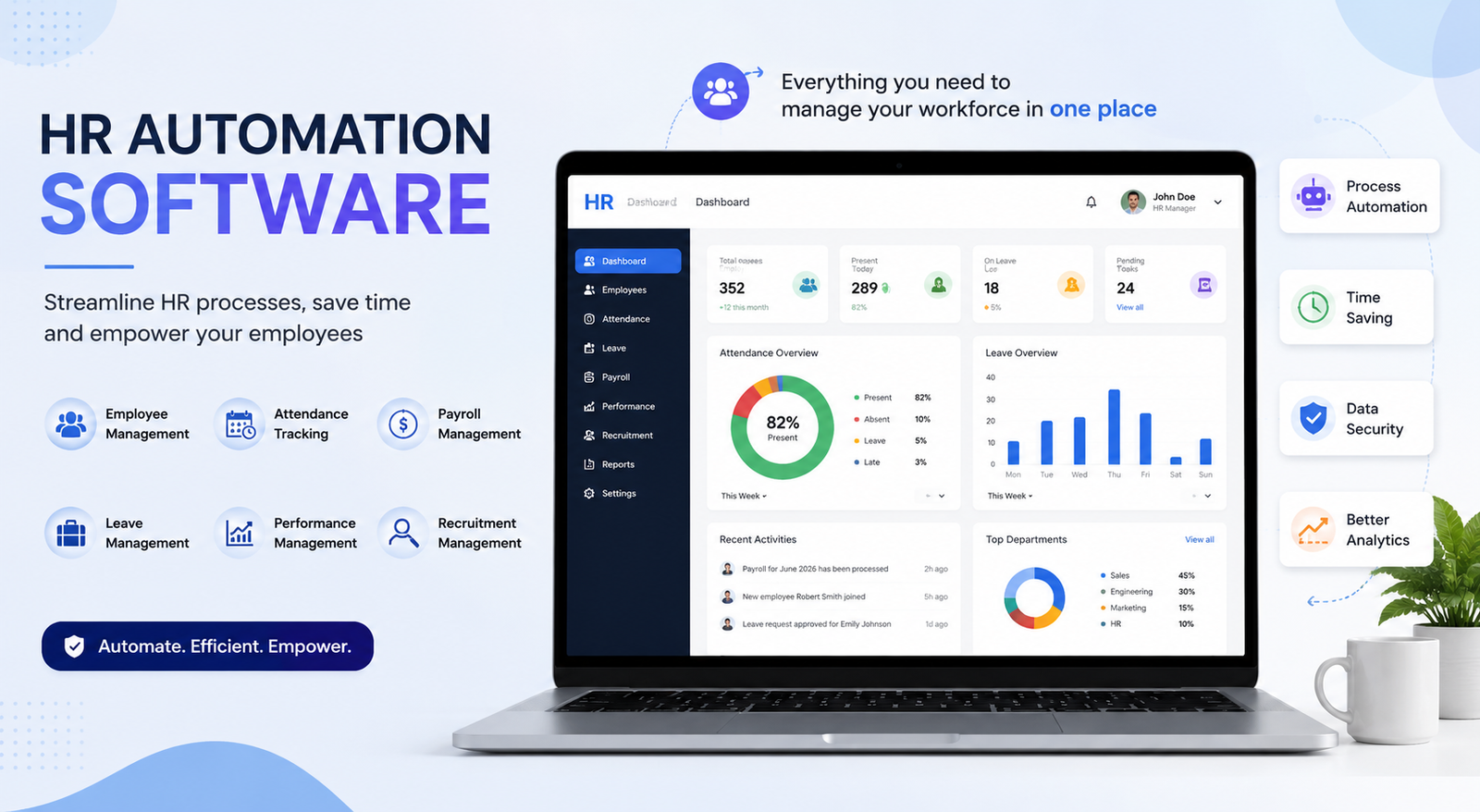
Managing human resources has become increasingly complex as businesses grow, embrace remote work, and face stricter compliance requirements. From recruiting top talent to processing payroll and managing employee records, HR teams handle countless repetitive tasks that consume valuable time. This is where HR automation software makes a significant difference.
Modern HR automation solutions streamline routine processes such as onboarding, leave management, time tracking, payroll, performance reviews, and document management. By replacing manual workflows with intelligent automation, organizations can reduce errors, improve employee experiences, and allow HR professionals to focus on strategic initiatives instead of administrative work.
Whether you run a startup with a small HR team or manage thousands of employees across multiple locations, choosing the right HR platform can transform your operations. In this guide, you'll learn what HR automation software is, why it matters in 2026, its key benefits, essential features, and a comparison of the best HR automation software available today.
What Is HR Automation Software?
HR automation software is a digital solution designed to automate repetitive human resource tasks using predefined workflows, artificial intelligence (AI), and system integrations. Instead of manually entering employee information, approving leave requests, or sending onboarding documents, the software performs these tasks automatically according to customized rules.
The goal is not to replace HR professionals but to eliminate repetitive work so they can focus on hiring, employee engagement, workforce planning, and organizational development.
Common processes automated by HR software include:
Employee onboarding and offboarding
Recruitment and applicant tracking
Payroll processing
Leave and attendance management
Performance evaluations
Benefits administration
Compliance documentation
Employee self-service portals
Training management
HR reporting and analytics
How HR Automation Software Works
HR automation platforms connect multiple HR functions into one centralized system. Information entered once can automatically update across different modules, reducing duplicate work and minimizing human error.
For example:
A candidate accepts a job offer.
The system creates an employee profile.
IT receives an automatic request to prepare equipment.
Payroll receives the employee's information.
The employee receives onboarding documents.
Training courses are assigned automatically.
Managers receive reminders for probation reviews.
This seamless workflow saves hours of manual coordination while creating a better experience for everyone involved.
HR Automation Software vs HRIS vs HCM vs ATS
Many businesses confuse these systems because they share similar features. However, each serves a different purpose.
Many modern HR platforms combine all four capabilities into a single solution, making it easier to manage employees from recruitment to retirement.
Why HR Automation Matters in 2026
Today's workplace looks very different from just a few years ago. Hybrid work models, global hiring, AI-powered recruiting, and evolving labor regulations have increased the complexity of HR operations.
Organizations that still rely on spreadsheets and manual processes often struggle with slow hiring processes, payroll errors, compliance risks, inconsistent employee experiences, lost documents, administrative overload, and delayed approvals.
HR automation software addresses these challenges by creating standardized, repeatable workflows that improve efficiency while reducing operational costs.
In 2026, AI has become an important part of HR technology. Many platforms now assist with resume screening, candidate matching, workforce analytics, document generation, and employee support, helping HR teams make faster and more informed decisions.
Key Benefits of HR Automation Software
Saves Valuable Time
Manual HR tasks consume hours every week. Automating routine work such as leave approvals, onboarding checklists, and document generation allows HR teams to spend more time on employee development and strategic planning.
Reduces Human Errors
Mistakes in payroll, employee records, or compliance documentation can be costly. Automation ensures information is entered consistently across systems, minimizing the risk of manual errors.
Improves Employee Experience
Employees appreciate quick responses and self-service options. Modern HR platforms allow staff to update personal information, request leave, access payslips, and complete onboarding tasks without waiting for HR assistance.
Faster Recruitment
Recruiters can automatically filter resumes, schedule interviews, and communicate with candidates. This shortens hiring cycles while improving candidate experiences.
Better Compliance
Employment laws continue to evolve across different regions. HR software helps organizations maintain accurate documentation, track certifications, and automate compliance reminders.
Smarter Decision-Making
Built-in dashboards and analytics provide real-time insights into workforce trends, employee performance, turnover, hiring metrics, and productivity, helping leaders make informed decisions.
HR Tasks That Can Be Automated
Nearly every repetitive HR process can now be automated.
Recruitment
Job posting
Resume screening
Candidate scoring
Interview scheduling
Offer letter generation
Employee Onboarding
Digital paperwork
Policy acknowledgments
Equipment requests
Account creation
Training assignments
Payroll
Salary calculations
Tax deductions
Overtime calculations
Payslip generation
Payment scheduling
Leave Management
Employees can submit leave requests online while managers receive instant approval notifications. Approved leave automatically updates calendars and attendance records.
Performance Reviews
Managers receive automated reminders for evaluations, while employees complete self-assessments through online portals.
Learning and Development
Training courses can be assigned automatically based on employee roles, departments, or career progression.
Compliance Tracking
Organizations can monitor certifications, licenses, contracts, and mandatory training deadlines with automated reminders.
Best HR Automation Software in 2026
Choosing the right platform depends on your company size, budget, and HR requirements. The following comparison highlights some of the leading solutions available today.
BambooHR
Bamboo HR is one of the most popular cloud-based HR solutions for small and medium-sized businesses. It simplifies employee record management, onboarding, time tracking, and performance management through an intuitive interface.
Key Features
Employee database
Digital onboarding
Time-off management
Performance reviews
Workflow automation
Employee self-service portal
Best For: Small and growing businesses looking for an easy-to-use all-in-one HR solution.
Many users also search for Bamboo HR employee login and BambooHR login with Google to securely access their employee portal and manage HR tasks online.
Rippling
Rippling combines HR, payroll, IT, and device management into a single platform. It stands out by automating employee provisioning, software access, and equipment management alongside traditional HR functions.
Best For: Businesses that want to automate both HR and IT operations from one dashboard.
Deel
Deel specializes in managing international employees and contractors. It simplifies global hiring, payroll, tax compliance, and localized employment contracts.
Best For: Companies hiring remote employees across multiple countries.
Workday
Workday is a comprehensive enterprise platform designed for large organizations with complex workforce management needs. It offers advanced analytics, workforce planning, financial management, and AI-powered insights.
Must-Have Features to Look for in HR Automation Software
Choosing the right solution from an extensive HR software list requires understanding which features deliver the greatest value. While every organization has unique needs, several capabilities should be considered essential.
Workflow Automation
Automate repetitive tasks such as onboarding, approvals, document collection, leave requests, and employee notifications to improve efficiency.
AI-Powered Recruiting
Modern platforms use artificial intelligence to screen resumes, rank candidates, and reduce hiring time while improving recruitment quality.
Employee Self-Service
Allow employees to update personal information, download payslips, request leave, and access HR documents without contacting the HR department.
Payroll Automation
Integrated payroll tools calculate salaries, taxes, overtime, bonuses, and deductions while minimizing manual errors.
Time and Attendance Tracking
Track employee attendance, work hours, shifts, overtime, and remote work through automated time-tracking systems.
Performance Management
Set goals, conduct performance reviews, collect feedback, and monitor employee development from a centralized dashboard.
Compliance Management
Automate reminders for certifications, policy acknowledgments, employment contracts, and labor law compliance to reduce legal risks.
Reporting and Analytics
Generate real-time reports on employee turnover, hiring performance, attendance, productivity, payroll expenses, and workforce trends.
Integration Capabilities
The best HR automation software integrates seamlessly with payroll platforms, accounting software, communication tools, ERP systems, and productivity applications.
AI in HR Automation Software
Artificial intelligence is transforming HR by automating complex decision-making processes while improving employee experiences.
Some common AI-powered capabilities include:
Resume screening and candidate ranking
Automated interview scheduling
Employee support chatbots
Predictive turnover analysis
Workforce planning
Personalized employee learning recommendations
AI-generated HR documents
Performance trend analysis
Instead of manually reviewing hundreds of applications, recruiters can focus on interviewing the most qualified candidates identified by AI.
How to Choose the Right HR Automation Software
Before investing in HR software, evaluate your organization's current challenges and future goals.
Consider the following factors:
Company size
HR team size
Budget
Payroll requirements
Recruitment volume
Compliance needs
Remote workforce support
Integration with existing systems
Mobile accessibility
AI capabilities
Customer support
Scalability
Selecting software based solely on price often leads to higher long-term costs. Focus on overall value, usability, and future growth.
HR Automation Implementation Guide
Successfully implementing HR automation requires careful planning.
Step 1: Audit Existing HR Processes
Identify repetitive and time-consuming tasks that can be automated.
Step 2: Set Clear Goals
Define measurable objectives such as reducing hiring time, improving onboarding, or minimizing payroll errors.
Step 3: Choose the Right Software
Compare leading HR software companies based on features, scalability, integrations, pricing, and customer support.
Step 4: Import Employee Data
Migrate employee records securely while verifying data accuracy.
Step 5: Configure Workflows
Customize approval chains, notifications, document templates, and automation rules according to company policies.
Step 6: Train Employees
Provide HR staff and managers with training sessions to ensure smooth adoption.
Step 7: Monitor Performance
Track key performance indicators such as onboarding completion time, payroll accuracy, employee satisfaction, and hiring efficiency.
HR Automation Examples
The following examples demonstrate how automation improves everyday HR operations.
Recruitment Automation
A candidate submits an online application. The software automatically screens the resume, schedules an interview, and sends confirmation emails.
Employee Onboarding
After accepting an offer, the employee receives digital forms, training assignments, company policies, and equipment requests automatically.
Leave Management
Employees submit leave requests online, managers approve them digitally, and attendance records update instantly.
Payroll Processing
Employee attendance data flows directly into payroll, automatically calculating salaries, overtime, deductions, and tax with minimal manual intervention.
These HR automation examples illustrate how businesses can significantly reduce administrative workloads while improving accuracy.
HR Automation Courses
Organizations investing in automation should also invest in employee development. Many online learning platforms offer HR automation courses covering HR technology, AI in human resources, workflow automation, payroll systems, and digital transformation.
HR professionals who understand automation technologies are better equipped to optimize workflows and maximize software adoption.
Best Practices for Successful HR Automation
To maximize your return on investment:
Standardize HR processes before automating them.
Keep employee data accurate and up to date.
Regularly review automation workflows.
Train managers and employees.
Monitor compliance requirements.
Use analytics to improve HR decision-making.
Collect employee feedback for continuous optimization.
Common Mistakes to Avoid
Many organizations fail to achieve expected results because they make avoidable mistakes.
Common pitfalls include:
Automating inefficient processes
Ignoring employee training
Choosing software without considering scalability
Poor data migration planning
Failing to integrate existing business systems
Overlooking security and compliance requirements
Avoiding these issues leads to smoother implementation and higher employee adoption.
Conclusion
HR automation software has become an essential investment for businesses looking to improve efficiency, reduce manual work, and deliver better employee experiences. From recruitment and onboarding to payroll and performance management, automation helps HR teams focus on strategic initiatives instead of repetitive administrative tasks.
As AI continues to reshape the workplace, organizations that embrace automation will gain a competitive advantage through faster hiring, improved compliance, better workforce insights, and higher productivity. Whether you're a small business exploring your first HR platform or a growing enterprise evaluating leading HR software companies, choosing the right solution can support your business for years to come.
Review your current HR processes, compare available solutions, and select software that aligns with your long-term goals. The right investment today can save countless hours while creating a more efficient and engaging workplace.
Frequently Asked Questions
What is HR automation software?
HR automation software is a digital solution that automates repetitive HR tasks such as recruitment, onboarding, payroll, leave management, performance tracking, and employee record management.
Which is the best HR automation software?
The best HR automation software depends on your organization's size and requirements. Popular options include BambooHR, Rippling, Workday, Deel, Gusto, Zoho People, and SAP SuccessFactors.
Is BambooHR suitable for small businesses?
Yes. Bamboo HR is widely used by small and medium-sized businesses because of its intuitive interface, employee management features, onboarding tools, and workflow automation.
What is Bamboo HR employee login?
Bamboo HR employee login is the secure portal where employees can access personal information, request leave, view company documents, and manage HR-related activities.
Can I use BambooHR login with Google?
Many organizations enable BambooHR login with Google through Single Sign-On (SSO), allowing employees to securely sign in using their Google Workspace accounts.
Are HR automation courses worth taking?
Yes. HR automation courses help HR professionals learn workflow automation, AI-powered recruiting, digital HR transformation, and modern HR technologies, making them more effective in today's workplace.
Leave a Reply